Image To Text APK

Image To Text

1.3.9 for Android
4.2

Description

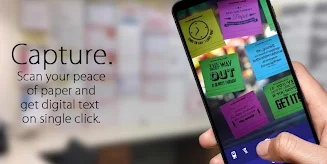
The Image To Text app is a powerful tool that allows users to easily scan and convert text from images into editable text that can be shared, emailed, or copied to other apps. Perfect for students, professionals, and anyone in need of a quick and accurate text conversion, this app is a handy solution for on-the-go text recognition. While handwriting is not supported, clear pictures will yield the best results. If you find this app useful, please consider leaving a review to show your support. Download now and experience the convenience of turning images into text in just a few simple steps!

Features of Image To Text:

> Text Scanner & Converter

- With this app, you can scan your text and convert it into editable format that can be shared with others.

- It is a convenient tool for students, businessmen, journalists, and anyone who needs to digitize text quickly.

> Easy Sharing Options

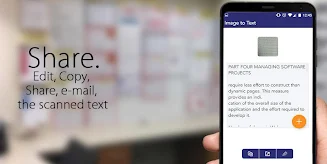
- Once the text is converted, you can easily share it via email or on social media platforms.

- You can also copy the text to your clipboard for use in other apps or documents.

> Clear Picture Recognition

- For best results, use clear and well-lit images as handwriting cannot be recognized by the app.

- The text recognition feature works best with clear pictures, ensuring accurate results every time.

Tips for Users:

> Use Natural Lighting

- When taking pictures for text recognition, ensure you have sufficient natural lighting for crisp and clear images.

> Edit Text as Needed

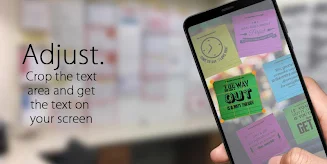
- After converting the text, you can edit it within the app to correct any errors or make adjustments.

> Experiment with Different Angles

- Try taking pictures of text from different angles to find the best position for accurate recognition.

> Save Time with Copy & Paste

- Copy the converted text to your clipboard for quick and easy pasting in other apps or documents.

Conclusion:

Image To Text APP is a valuable tool for anyone who needs to convert text from images quickly and efficiently. With features like text scanning, easy sharing options, and clear picture recognition, this app simplifies the process of digitizing text for various purposes. With playing tips to enhance your experience, using this app can save time and effort when dealing with text conversion tasks. Download Image To Text APP today and start converting your text with ease!

Information

  • Category:
    Productivity
  • Latest Version:
    1.3.9
  • Updated:
    Dec 19,2024
  • File size:
    7.59MB
  • Requirements:
    Android
  • Developer:
  • ID:
    com.ea.image.text
  • Language:
    English
Reviews
  • avatar
    It is a great app. It actually turns a pictures text into a PDF. The downside is the camera the app comes with sucks. Don't bother trying it for you'll never get a clear image. For best results take your pic outside of the so and then use that picture within the app. Works Great!!
    Dec 23,2024 13:04:51
  • avatar
    It actually did what it suppose to do. I was impressed. The only drawback is, you will need to close and open the app in order to scan another document and a word or two may get miss spelt. It's a app I plan to keep, although I may not use it often.
    Dec 22,2024 21:39:40
  • avatar
    An image-to-text app is useful because it allows users to quickly and easily convert images of text into editable, searchable text. This can save time and effort compared to manually typing out the text or copying it by hand. Additionally, an image-to-text app can be particularly useful for individuals with visual impairments who may have difficulty reading printed text, as well as for language learners who may need to translate text from one language to another.
    Dec 22,2024 19:01:59
  • avatar
    My phone camera is on the low end but it seems to be 98% accurate with small amounts of text but it drops when there is dirt or debrie or blurrieness or low resilution or more text and it sucks at handwriting is only 7% accurate it can´t really do more than a paragraph at a time it shows ada right after you convert takes new pictures or pictures on storage
    Dec 22,2024 15:53:48
  • avatar
    Not so great for numeric data. Have left word with the developer. Once you know what to do, it is straightforward; but, getting to the point where you know what to do, is a bit of a Conundrum and quite a puzzle. A few lines of instruction would go a long long way. But then, I am over 60, and it may just be a lack of familiarity with modern apps on my part.
    Dec 22,2024 02:39:42
  • avatar
    1st time using this app, preparing a misspelled obituary mistake. Scanned original paper. Saved myself 3 hrs of typing out original paper. Simply photo gallery and text saved to clipboard. Sent correction to funeral home. Hallelujah. Perfect. Ads were annoying. But ad free for $$ worth it! Definitely!
    Dec 21,2024 10:01:18




