
Foxit PDF Editor APK

Foxit PDF Editor

2023.7.0.1216.0146 for Android
4.1

Description

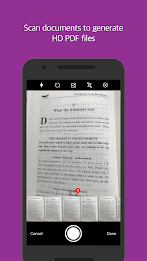
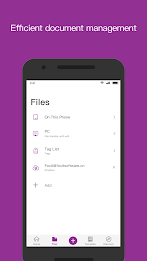
Looking for a reliable, fast, and secure way to manage PDF files on your Android device? Look no further than Foxit PDF Editor! With easy document navigation, annotation capabilities, collaborative features, and the ability to create, convert, edit, and protect PDF files, Foxit PDF Editor has everything you need to streamline your PDF workflow. Whether you're a student, professional, or simply someone who deals with PDFs on a regular basis, it is the perfect tool to help you stay organized and efficient. Try it today and discover how easy managing PDFs can be!

Features of Foxit PDF Editor:

> Reliable and Secure: Foxit PDF Editor is 100% compliant with your current PDF ecosystem, ensuring that your sensitive information is safeguarded against unauthorized access. This reliability and security give users peace of mind while using the app.

> Lightweight and Fast: Unlike other PDF editors that may exhaust your device resources and have long loading times, it is lightweight and fast, allowing for quick access to your PDF files without any delays.

> Collaborative and Multi-Language Support: With full control of your content and support for 12 languages, it allows for seamless collaboration with others and easy communication across different language barriers.

> Advanced Features: The app offers advanced features such as the ability to edit, protect, and export PDF files, making it a comprehensive tool for all your PDF editing needs.

Tips for Users:

> Take Advantage of Collaboration: Use the collaborative features of Foxit PDF Editor to work on projects with colleagues or friends, allowing for real-time feedback and edits.

> Explore Advanced Features: Try out the advanced features available through in-app purchase to unlock even more capabilities, such as adding audios, videos, or hyperlinks to your PDF files.

> Organize Your PDFs: Use the bookmark management features and tabbed document interface to easily navigate and organize your PDF files for efficient workflow.

Conclusion:

Foxit PDF Editor stands out as a reliable, secure, and fast PDF editing tool that offers a wide range of features to enhance your editing experience. With its collaborative capabilities, multi-language support, and advanced features, Foxit PDF Editor is a must-have app for anyone who works with PDF files regularly. Download Foxit PDF Editor now to simplify your PDF editing process and elevate your productivity to the next level.

Information

  • Category:
    Productivity
  • Latest Version:
    2023.7.0.1216.0146
  • Updated:
    Dec 31,2024
  • File size:
    46.00MB
  • Requirements:
    Android
  • Developer:
    Foxit Software Inc.
  • ID:
    com.foxit.mobile.pdf.lite
  • Language:
    English
Reviews
  • avatar
    In theory, the app has everything I need. However, none of it is working as it should
    Jan 05,2025 14:40:44
  • avatar
    I have zero interest in using your ai, and it wouldn't let me try to edit a document without it. 0 stars instant uninstall.
    Jan 05,2025 12:04:53
  • avatar
    I have been using this app since 2016-17 and it was working fine until two days back when it got updated and renamed to Foxit PDF Editor. It is slow. It cannot search. While scrolling down every now and then, it interrupts the scroll down process. Giving one an option of either close the app or Wait. It is a total mess. Kindly rectify and re-consider the updates. Thanks
    Jan 05,2025 04:16:28
  • avatar
    Terrible new interface I can't believe an app developer would decide to force such radical change upon the user. Why not just make a different app? The new app is designed to look "more modern" but is filled with bugs. Doing a simple task such as annotating a PDF with text followed by saving it to your desired folder takes about 3x more clicks than the old version (if the click works, which it doesn't bc bugs). Workflow constantly disrupted with popups asking for sign-in. Navigating the file/folder directory also limited. The app will for your to use it's own interpretation of where your files are, not where they actually are. For example, if you have a PDF file saved by Scanbot (another app), there is no way you can navigate to that file under Foxit for annotation. All Foxit will allow you to do is hope that Foxit searches for the app and presents it in it's own representation of YOUR file directory. I've been a daily user for the old Foxit app since 2016 with 10-20 files annotated per day. The app no longer works for this use-case since the 6/2/2021 "refresh". I have since uninstalled Foxit and switched to "Xodo PDF" for my repetitive PDF annotation needs. IMO, updates are meant to improve an app, not make it so worse that its unusable. It's the wrong decision to force this update on your loyal users. You should have just made a new app.
    Jan 05,2025 00:29:52
  • avatar
    the view is not smooth. lack of antialiasing. feels like viewing in low resolution.
    Jan 04,2025 14:23:40
  • avatar
    This WAS a simply, easy-to-use app. Then came the update. Now it's a bloated, ungodly mess. It takes forever to load. The page being viewed jumps all over the place. To scroll, you have to get to the bottom of the page, scroll to the next page, which is at the bottom, then moved up to the top. It used to be possible to scroll simply vertically and move to the next page. There used to be a settings button to control some of this. Either settings are gone or the button is well-hidden. Why developers have to take something simple that works well and turn it into a total mess is beyond me
    Jan 02,2025 09:29:06




