

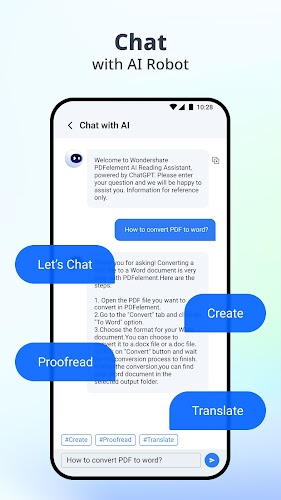


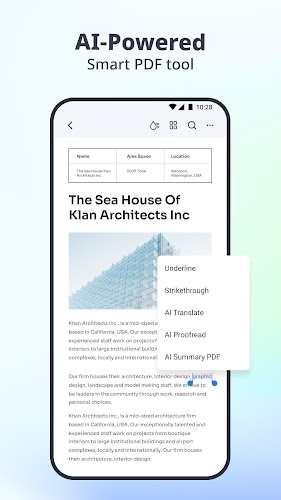
Revolutionize the way you interact with PDFs with PDFelement-PDF Editor & Reader. This all-in-one solution combines editing, reading, scanning, and converting capabilities with seamless AI technology. Chat with your PDF for instant answers, summarize key points effortlessly, proofread content, and more. Edit PDFs like Word documents, enjoy a professional reading experience with Liquid Mode, scan and OCR documents with ease, convert files to various formats, and annotate PDFs with text, shapes, and annotations. Create customized PDFs, compress and merge files, fill out forms, sign documents, and securely store and share your PDFs. Upgrade to a premium plan for full access to AI features or continue using the app for free with limited features. Experience the power of AI with PDFelement AI PDF Editor today!
⭐ Innovative AI Features: With PDFelement AI PDF Editor, you can chat with the PDF to get instant answers, summarize key points, proofread content, and more. This cutting-edge AI technology makes working with PDFs easier and more efficient.
⭐ Edit PDF Like Word: Edit text and images directly in your PDFs with the same font, erase easily, adjust font size or spacing, and navigate quickly. This feature allows you to customize your PDFs with ultimate convenience.
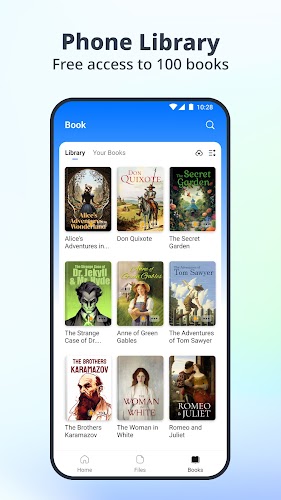
⭐ Professional PDF Reader: Experience the best PDF reading experience with Liquid Mode, intuitive navigation with Bookmarks, and access to a library of 8800+ original English books. You can also listen to PDFs with your preferred reading range, voice, speed, and volume.
⭐ Comprehensive Tools: Scan and OCR documents, convert PDFs to Office formats or images, annotate PDFs with text, sticky notes, and shapes, create new PDFs from templates or images, compress and merge PDFs, fill and sign forms, and store and share PDFs securely.
⭐ Make use of the AI features to chat with the PDF for instant answers, summarize key points, proofread content, and enhance accuracy.
⭐ Edit your PDFs like Word by directly editing text and images, adjusting font size and spacing, and navigating quickly through the document.
⭐ Take advantage of the professional PDF reader features like Liquid Mode, Bookmarks, and the Library to enhance your reading experience.
⭐ Explore the comprehensive tools available, including scanning and OCR, PDF conversion, annotation, PDF creation, compression and merging, form filling and signing, and secure storage and sharing.
With its innovative AI features, easy-to-use editing tools, professional PDF reading experience, and comprehensive set of tools, PDFelement AI PDF Editor is a must-have app for anyone working with PDF documents. Whether you need to edit, read, scan, convert, annotate, create, compress, fill, sign, store, or share PDF files, PDFelement has all the features you need in one convenient app. Download PDFelement-PDF Editor & Reader now and unlock new possibilities for working with PDFs.






